Embed a walkthrough on your website
Copy a published walkthrough's embed code from Share and paste it into a web page's HTML, so visitors can click through it without leaving your site.
Before you start
Publish the walkthrough. The Embed tab appears in Share only once the walkthrough is published. See Share link.
Copy the embed code
To copy the embed code:
- Open the project in the editor and select Share.
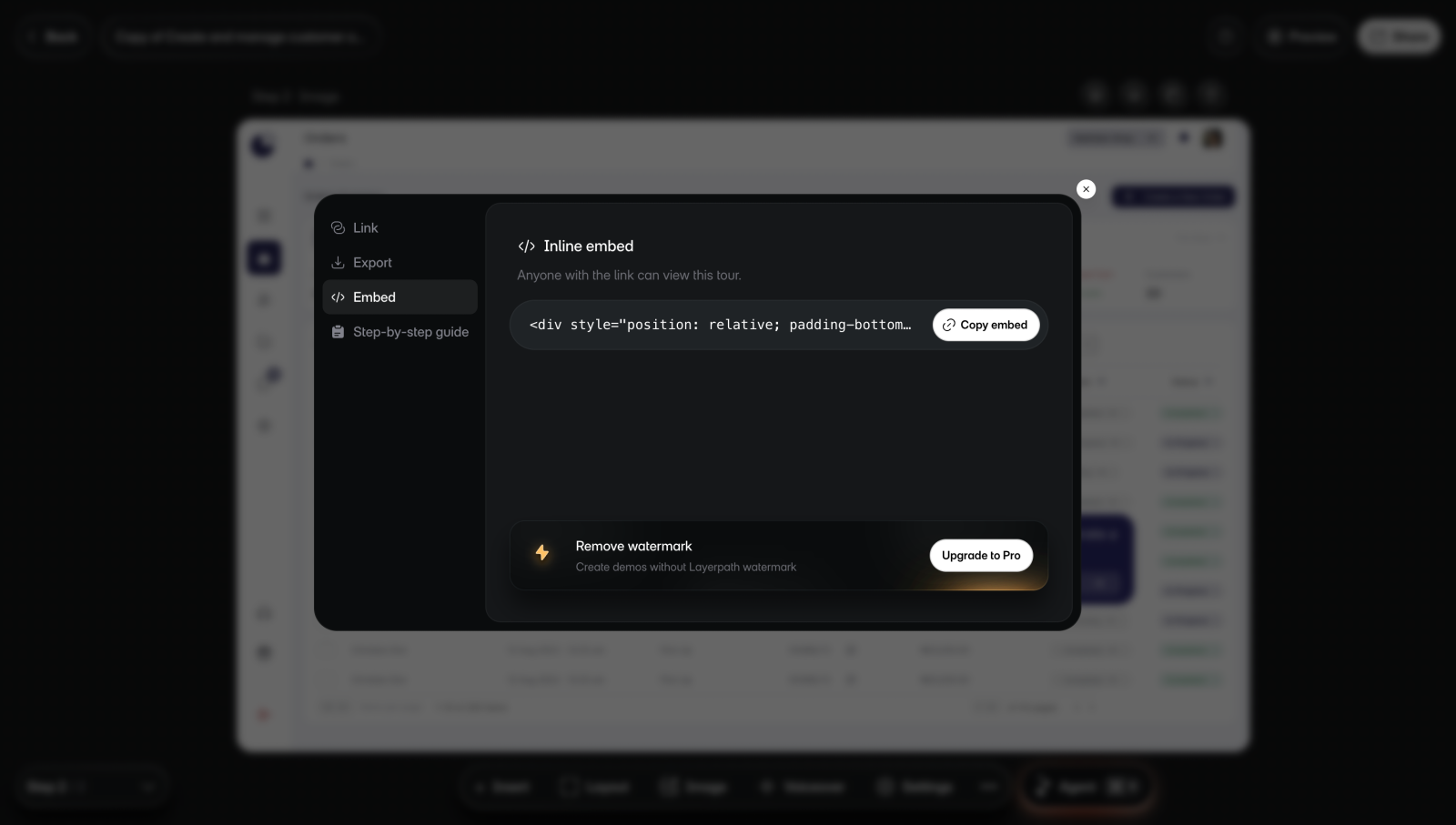
- Select Embed. You'll see Inline embed and the code.
- Select Copy embed. It changes to Copied, and the code is ready to paste.
Paste it into your site
Layerpath gives you embed codes for help centers, knowledge bases, websites, LMSs, and Notion. The embed code is a short piece of HTML. Add it to a page that accepts HTML, such as a page on your website or an article in your help center or knowledge base.
To add it to a page:
- Open the page in your site's editor.
- Add an HTML block, or switch to the HTML or source view.
- Paste the code where the walkthrough should appear.
- Save or publish the page as you normally would.
The code has no size or autoplay settings. The walkthrough fills the width of the space it's in and keeps its proportions.
What viewers see
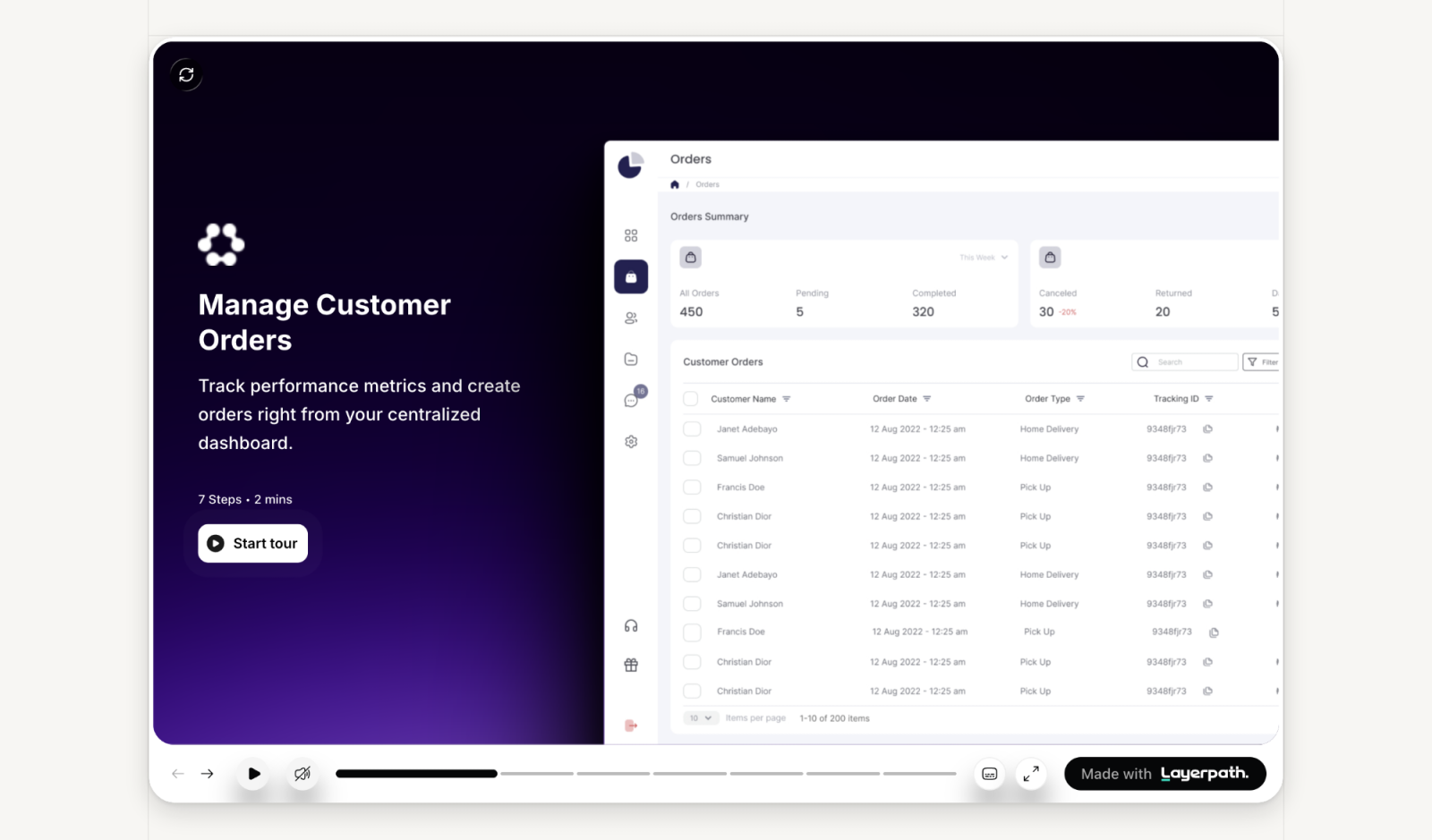
The walkthrough sits in your page, and visitors move through its steps there. If your workspace has a custom domain connected, the embed loads from it.
The embed follows the walkthrough's publish state. If you unpublish the walkthrough, the embed shows "This tour is currently unpublished" in its place. Publish it again and the same code works.
If something goes wrong
- If there's no Embed tab, the walkthrough isn't published. Turn on Publish project on the Link tab first.
- If your page shows the code as text, it went into the text editor. Paste it into an HTML block or the source view instead.
- If the embed shows "This tour is currently unpublished" or doesn't play, see Walkthrough won't play.