Embed a video or page in a step
Show a YouTube, Loom, or Vimeo video, a Figma file, another Layerpath walkthrough, or any web page in a frame on a step, where viewers can play or use it.
Embed a video
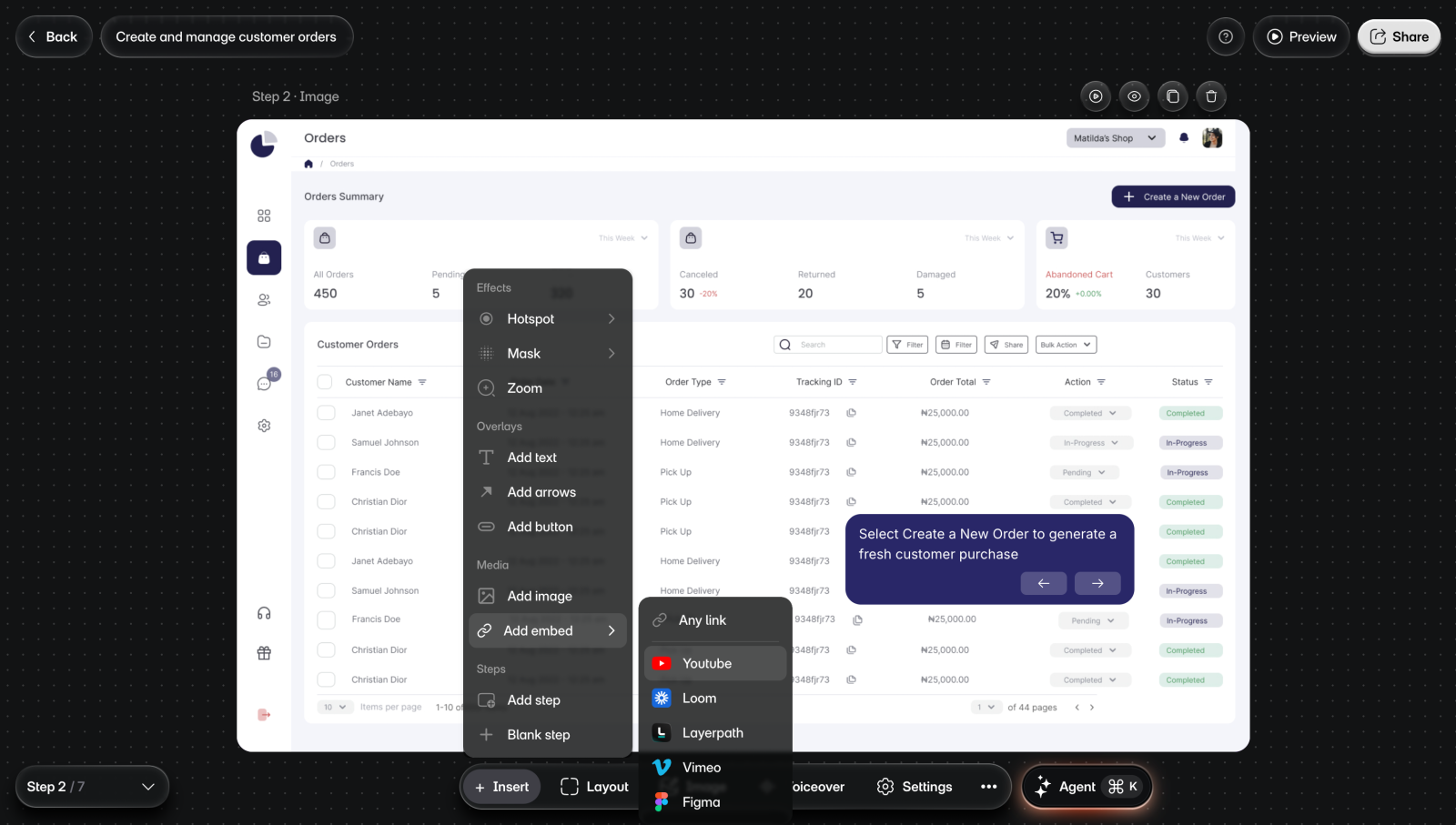
To embed a video:
- Go to the step.
- Select Insert > Add embed > Youtube, Loom, or Vimeo. You'll see an empty frame on the step and a box for the link.
- Paste the video's link in the box and press Enter. You'll see the video in the frame.
- Drag the frame where you want it.
- Optional: Drag a corner of the frame to resize it.
The link has to come from the service you picked. If it doesn't, you'll see an error under the box, and the frame stays empty.
Embed a Figma file or a Layerpath walkthrough
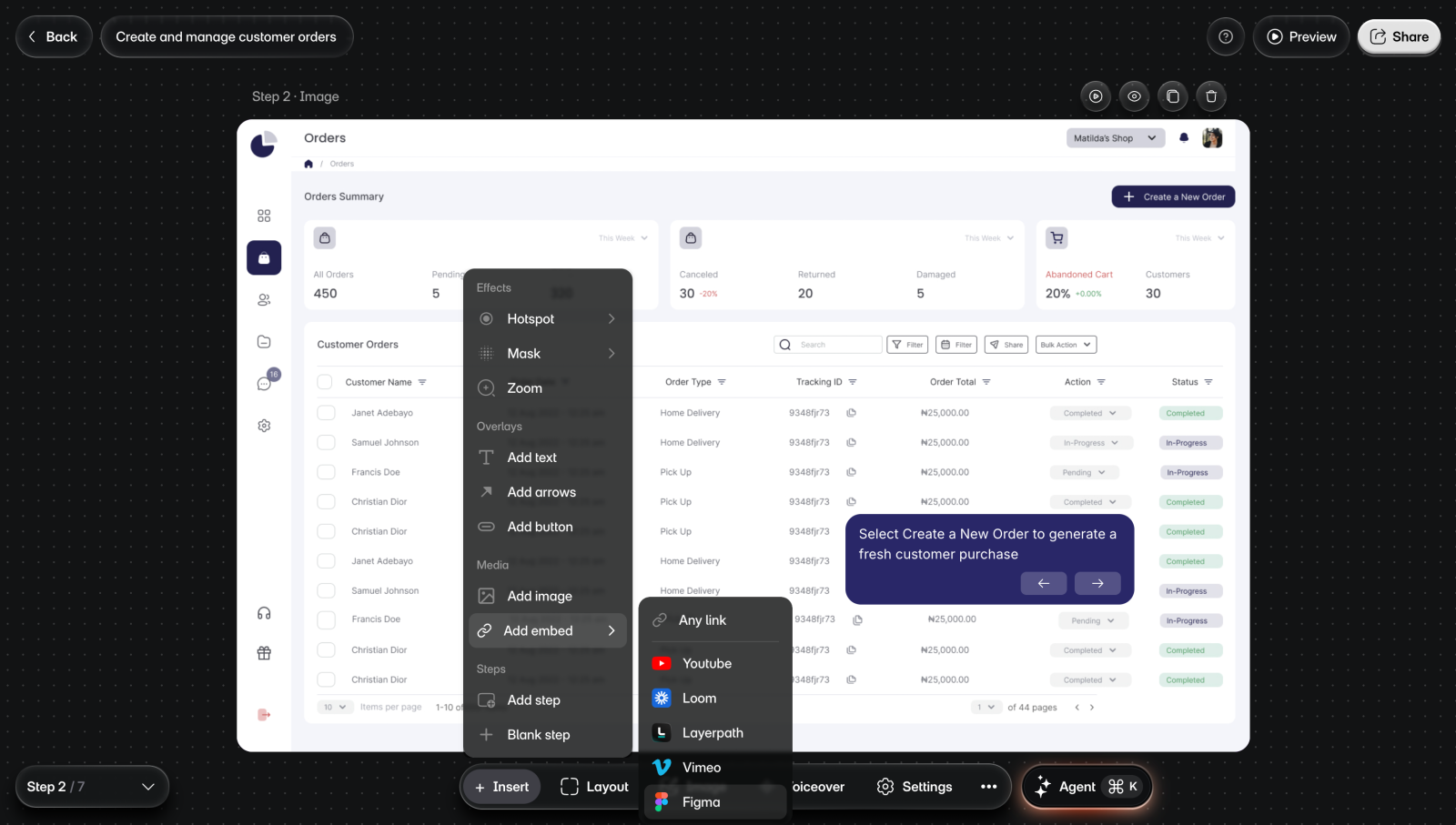
To embed one:
- Go to the step.
- Select Insert > Add embed > Figma or Layerpath.
- Paste the Figma file's link, or the walkthrough's share link, and press Enter. You'll see it in the frame.
- Drag the frame where you want it.
Embed any page
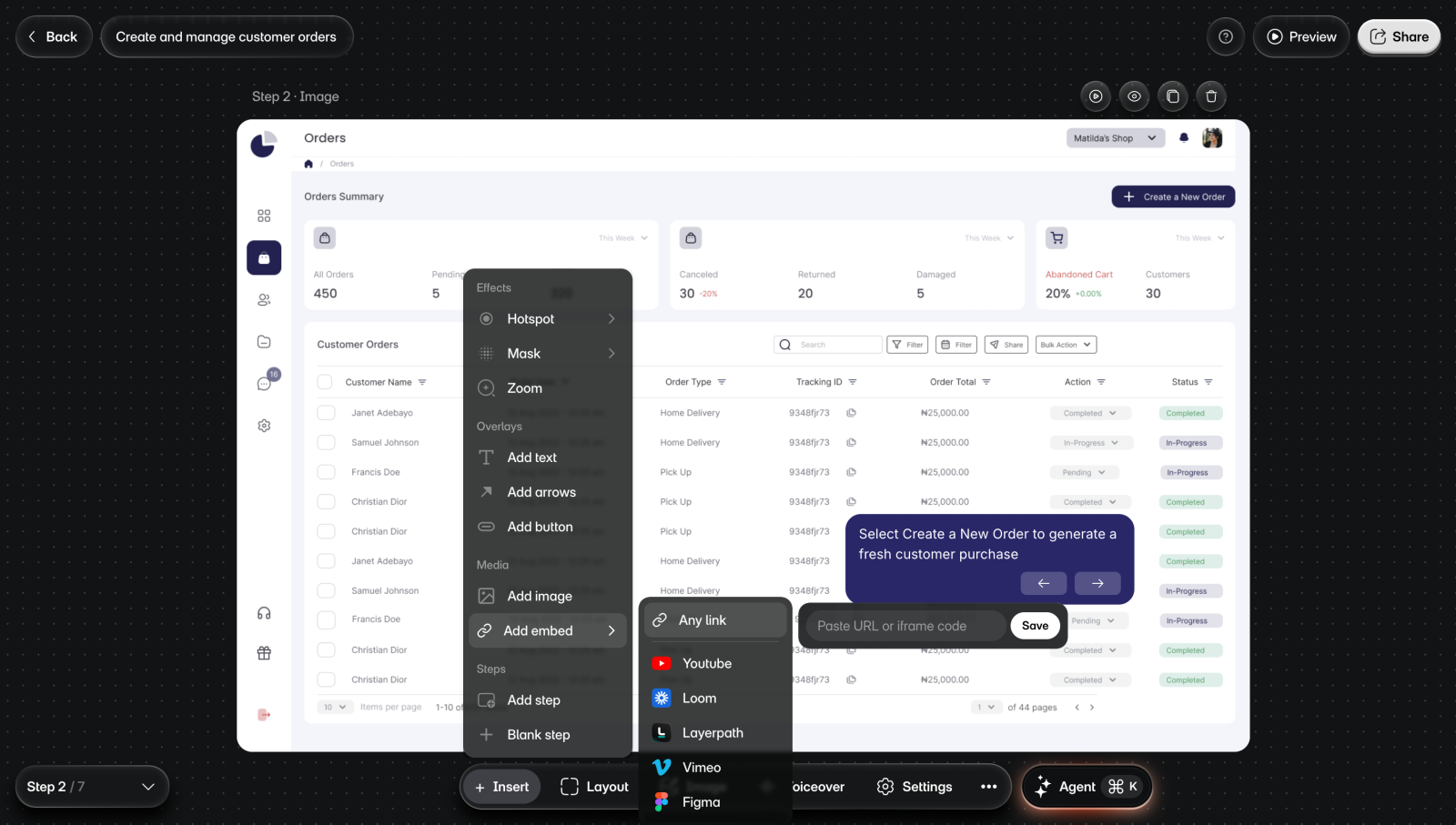
To embed a page:
- Go to the step.
- Select Insert > Add embed > Any link.
- Paste the page's URL, or its iframe embed code, in the "Paste URL or iframe code" box.
- Select Save. You'll see the page in a frame on the step.
- Drag the frame where you want it.
Change or remove an embed
Select the embed to see its toolbar.
- To change the link, select Edit link, paste the new link, and select Save.
- Lock keeps the frame from moving or resizing. Select the lock again to release it.
- Duplicate adds a copy, and Delete removes the embed.
- The three dots hold Bring to front, Bring forward, Send backward, and Send to back, to change which items the embed sits above.
Limits
- Insert isn't on the intro or outro, and on a step made from a screen recording it offers only new steps. Embeds can't go on those steps.
- Some sites don't let other pages show them. An embed of one of those sites stays blank, so check each embed in Preview.
- An embed shows a video or file only if your viewers have access to it.
- Layerpath takes links on layerpath.com. A walkthrough shared on your custom domain doesn't pass its link check.
- In a layout other than Full screen, items on the step can't be moved or resized.