Download a walkthrough as a PDF
Download a walkthrough's steps as an A4 PDF from Share in the editor or from its guide, and see what goes on its cover page and its step pages.
Download the PDF
You don't need to publish a walkthrough to download it as a PDF.
To download the PDF from the editor:
- Open the project in the editor and select Share.
- Select Export. You'll see Export as PDF below the video options.
- Select Download PDF. You'll see "Preparing screenshots", then "Generating PDF".
- When you see "PDF downloaded", open the file from your downloads. It's named after the project.
You can also download it from the guide: on the guide, select Share, then Download PDF. See Step-by-step guide.
What's in it
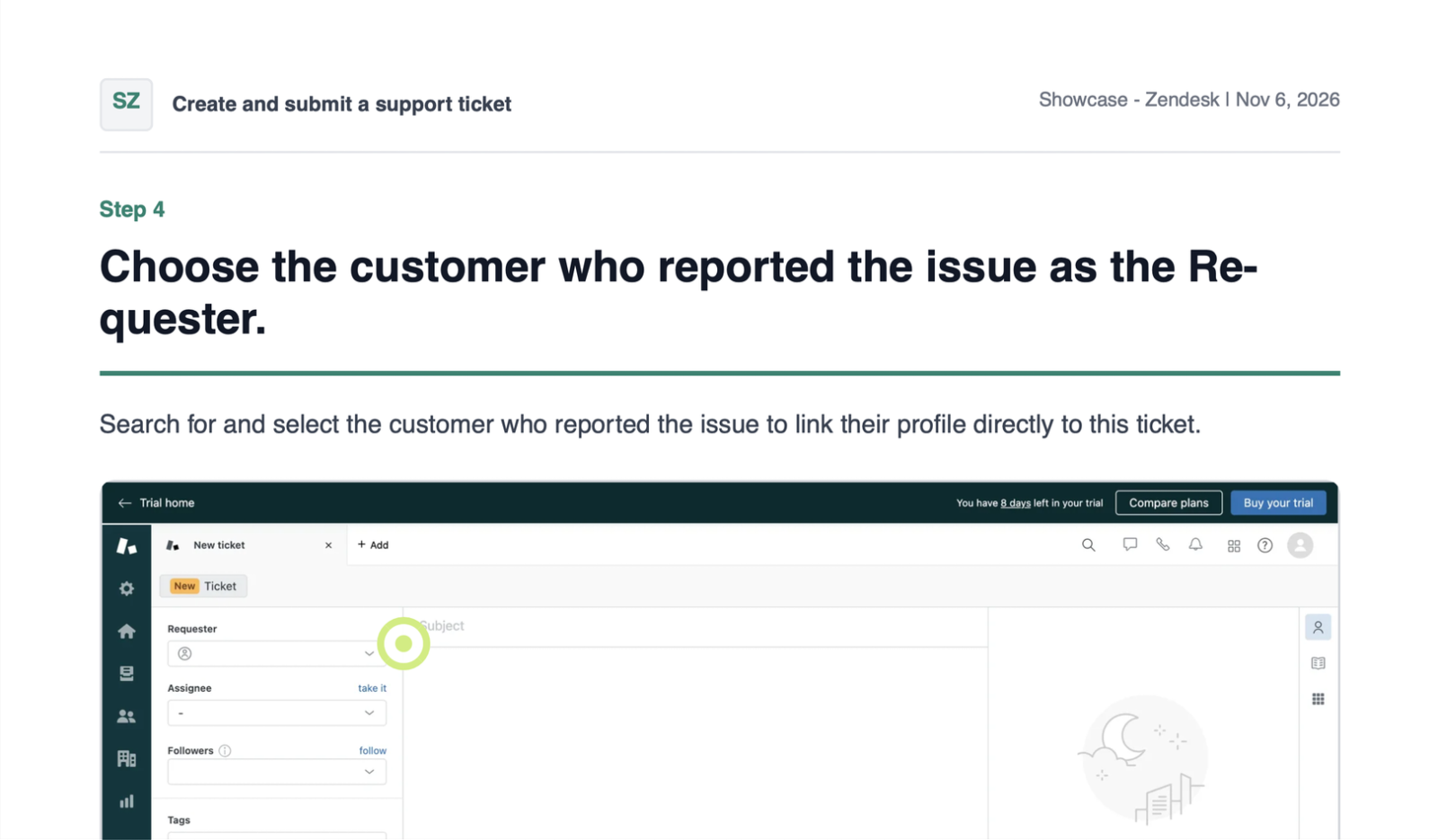
The PDF has A4 pages:
- A cover page with the walkthrough's title and description, your workspace name, the date, the number of steps, and a list of the steps.
- A page for each step, with its title, its text, and its screenshot.
- A footer on every page with the page number. On the Free plan, the footer also says "Created with Layerpath".
Limits
- Video doesn't play in a PDF. Where a step has video, the PDF links to the source video instead.
- Guides don't export to Word or PowerPoint. To paste the steps into either, use Copy steps on the guide.
- The PDF shows the walkthrough as it was when you downloaded it. After you change the walkthrough, download it again.
If something goes wrong
- If you see "Failed to generate PDF. Try again.", select Download PDF again.
- If a step's image couldn't load, the PDF marks that step. Download the PDF again to retry.