2025 updates
New features, improvements, and fixes from Layerpath in 2025.
Introducing Advanced Analytics
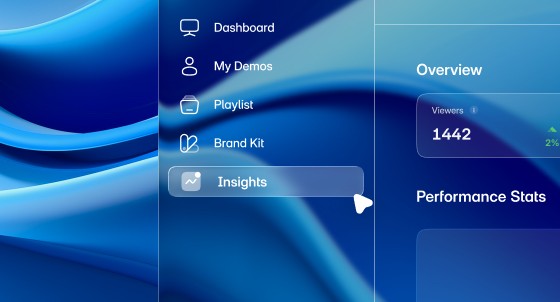
Analytics Overhaul
Workspace Insights Dashboard & Tour Insights
Overview Metrics:
- Total Views: Combined initial views and replays across all demos.
- Unique Visitors: Distinct visitor count for shared projects.
- Completion Rate: Percentage of visitors viewing entire tours.
- Lead Generation Rate: Form submission percentage with period-over-period comparisons
Performance Stats:
- Trending Project: Auto-highlighted demo based on engagement score (view growth, completion rate, leads, time spent)
- Most Viewed Demo: Highest view count in selected period.
- Best Completion Rate: Highest percentage of complete tour views.
- Most Leads: Highest form submissions.
- Highest Dropoff: Most frequent abandonment points.
Activity Analysis:
- OS Breakdown: Windows, macOS, iOS, Android distribution.
- Country Distribution: Geographic breakdown with country codes.
- Browser Usage: Browser type analysis.
- Device Type: Desktop, mobile, tablet categorization with stats.
Recent Projects Table:
- Performance metrics: Views, watch rate, completion rate, drop-off rate per project
- Project previews with thumbnails, names, and creation dates
- "See All" option for complete workspace metrics
Demo Preview:
- Interactive navigation controls (forward/backward through slides)
- Content preview supporting images and videos.
- In-preview video playback.
- Position indicator showing current slide in tour sequence.
Key Metrics:
- Views Counter: Total tour views.
- Completion Rate: Percentage viewing entire tour.
- Watch Rate: Average percentage of slides viewed (based on furthest slide reached)
- Leads: Total leads and conversion rate for forms.
- Replay Count: Repeat viewing statistics.
Performance Timeline:
- Interactive multi-metric chart (visits, plays, completions)
- Date filters: All Time, Past 7 Days, Past 30 Days, Past 12 Months, Custom Range
- Hover functionality for detailed date-specific metrics
- Color-coded series: "Total Visitors", "Started Tour", "Completed Tour"
- Responsive design adapting to screen sizes
Activity Breakdown:
- OS Analytics: Distribution with percentages and counts.
- Geographic Data: Visitor country breakdown.
- Browser Stats: Browser usage statistics.
- Device Analysis: Desktop vs mobile vs tablet
Improvements & Fixes
Tour Navigation
Path AI Agentic Navigation Support:
- Enhanced tour navigation system to support Path AI integration
- Enables intelligent, AI-driven navigation flows
- Foundation for adaptive demo experiences
General Fixes:
- Improved recording stability in Chrome extension.
- Fixed edge cases in AI text generation.
- Enhanced performance for large workspace analytics
Chrome Extension & AI Features
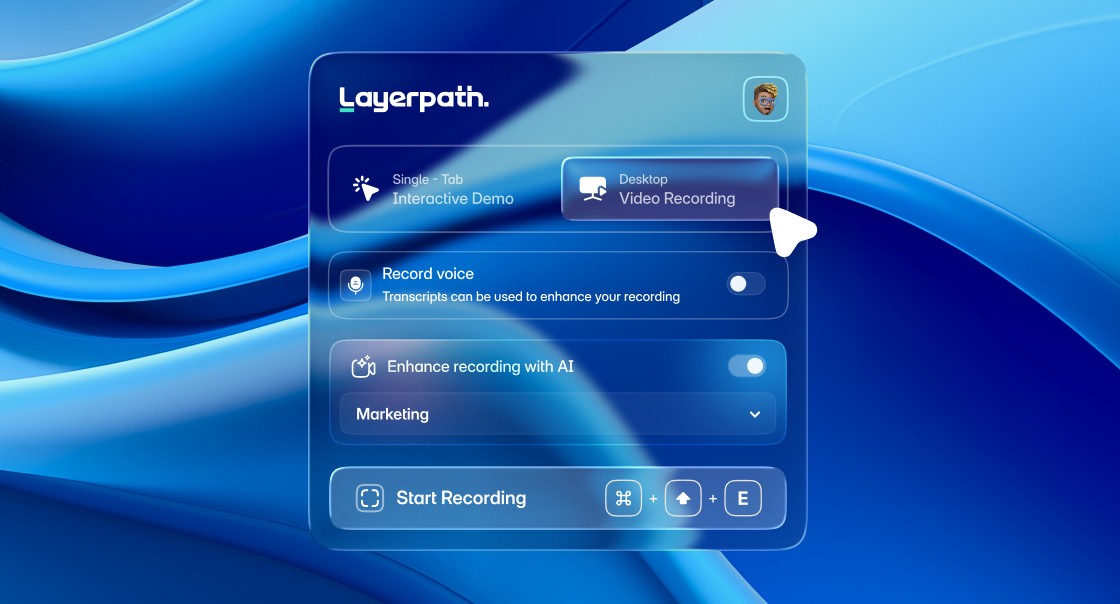
Chrome Extension Enhancements
Audio Recording for Interactive Demos
Upload a video from your computer, and Layerpath will generate a tour and guide for you automatically:
- Added audio recording capability during demo capture.
- AI automatically generates hotspot text from voice narration.
- Eliminates manual text writing after recording.
- Available in Interactive mode for Tours, Guides, and Videos.
Full Desktop Recording:
- New Desktop mode captures entire screen, not just browser tabs.
- Exclusive to Video format.
- Perfect for desktop applications and multi-tool workflows
Dual Recording Modes:
- Interactive Mode: Single browser tab → Generates Tours, Guides, or Videos.
- Desktop Mode: Full desktop screen → Video format only.
- AI processing for automatic text generation (Marketing, Sales, Support use cases)
Improvements & Fixes
Video Editor
Video Split Feature Rework:
- Redesigned video splitting interface for improved intuitiveness
- Enhanced UI/UX for easier timeline navigation
- Simplified split point selection and management
Chrome Extension Enhancements
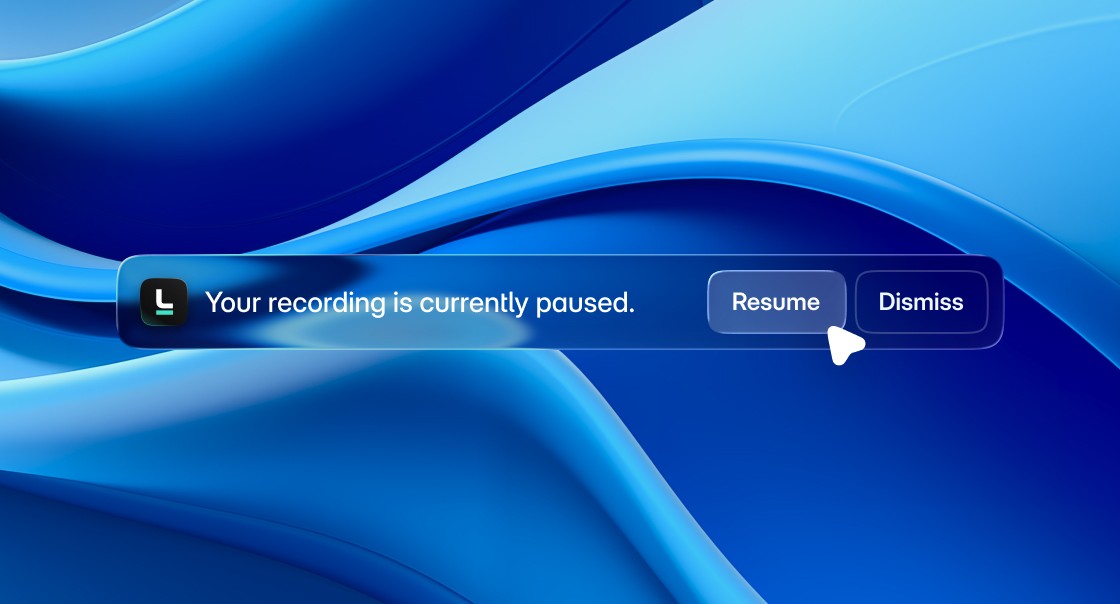
Chrome Extension: Pause / Resume Controls
- Chrome extension now supports pause/resume functionality using keyboard shortcuts.
- New Keyboard Shortcuts:
Cmd + Shift + E/Ctrl + Shift + E: Start or Stop recording.Cmd + Shift + P/Alt + Shift + P: Pause or Resume recording.
Video Sharing Enhancements
- New Feature: Added comments and reactions to video sharing functionality.
- Improved UX: Videos now automatically notify users when re-rendering is needed after changes are made.
- Previous Release: Core video sharing feature was introduced in the last release.
Introducing Video Sharing Feature
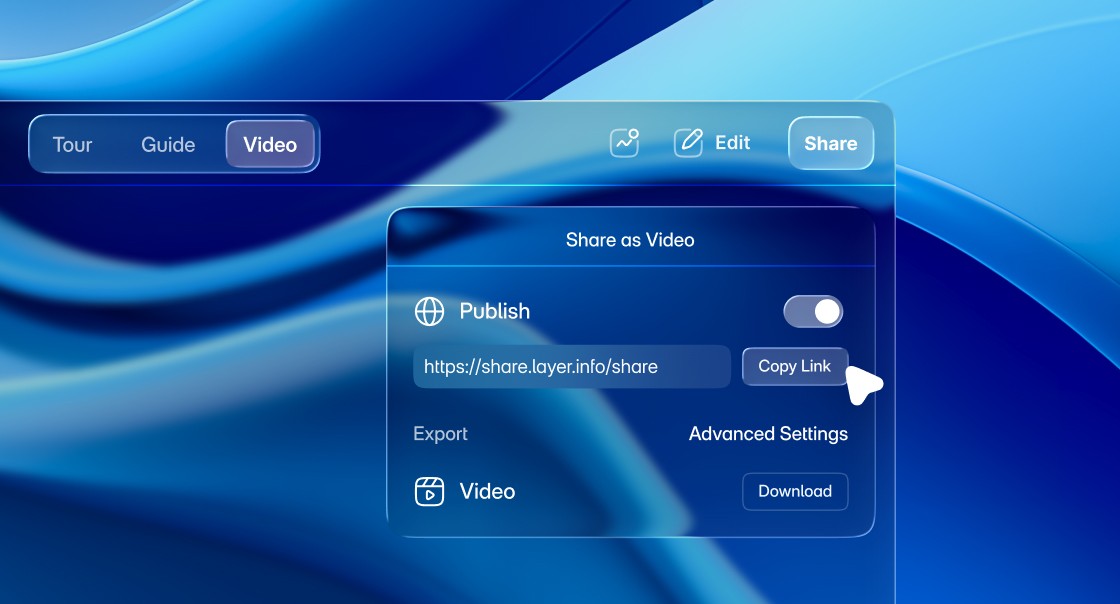
Video Sharing & Collaboration
- New video sharing feature for internal and external collaboration.
- Insights dashboard now shows video metrics like views and countries.
- Upcoming: reactions, comments, and advanced engagement insights.
AI-Powered Demo Creation
- New Chrome extension was built from scratch for a smoother recording experience.
- Integrated AI automatically generates demo descriptions while preserving context.
- Enables best-in-class single-step demo creation - from capture to description.
Onboarding Experience
- Enhanced onboarding flow for faster and more intuitive setup.
- Guided onboarding is temporarily disabled while graphics are being prepared.
Editor Improvements
- Fixed hotspot positioning with improved scaling and sync between editor and preview.
- Added on-the-fly resize when zooming for better control.
- Resolved button configuration issues for stable functionality.
- Improved responsive design with fixed container overflow and optimized sidebar widths.
Workspace Management
- Move projects between workspaces for better collaboration.
- Unified default language settings with enhanced Brand Kit-based language selection.
Feature Updates & Enhancements

Account Management & Subscription
Your account experience is now simpler and more transparent:
- Self-serve account deletion with a clear confirmation flow.
- 14-day grace period before accounts are permanently removed.
- Easier subscription cancellation with smoother downgrade to Free plan.
- Role changes available after invite acceptance.
- Improved sign-up reliability with password support fixed.
- New 404 and 500 error pages for clearer feedback.
- Fixed Invite Member popup display issues.
Product Features
Smarter tools for creating and editing demos:
- Video to Demo now supports YouTube URLs, with instant conversion notifications.
- Enhanced Tour Video Editor with auto-scrolling and responsive controls.
- Voiceover improvements including more voice options and better previews.
User Experience Improvements
Polish and fixes across the platform for a smoother journey:
- Cleaner account settings for easier navigation.
- Improved accessibility and clearer subscription flows.
- Background display issues resolved for popups and dialogs.
Platform Enhancements & User Experience Updates
Voice Generation System Overhaul
Your audio experience just got a major upgrade:
- Transitioned fully to ElevenLabs as the voice provider
- Expanded to 32 languages and 300+ unique voices with native accents.
- Faster feature rollouts with no separate porting needed.
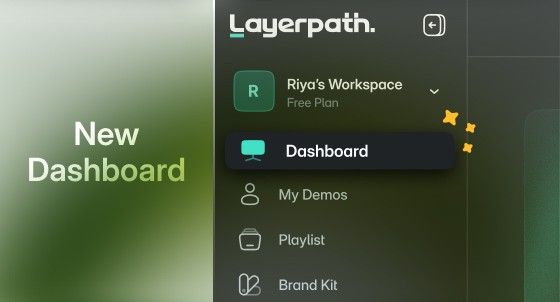
Dashboard Redesign & Onboarding Improvements
A refreshed dashboard designed for easier navigation and activation:
- Dynamic announcement banner for feature updates and tips.
- Improved onboarding checklist guiding new users step-by-step.
- Collapsible sidebar for a larger, distraction-free workspace.
- General UI polish for a modern and professional look.
Mobile Responsiveness: First Steps
The foundation for a smoother mobile experience is now live:
- Core structure updated for better layouts on smaller screens.
- Fixed critical issues affecting mobile usability.
- Noticeable improvements today, with full optimization coming soon.
Platform Updates & Customer Experience Enhancements

Unified Multi-Brand Platform
Your experience is now seamless across all our brands:
- One consolidated codebase powering Layerpath.
- Brand-specific configurations keep unique identities intact.
- Faster feature rollouts with no separate porting needed.
Next-Gen Tour System
A complete rebuild for smoother, smarter tours:
- Lightning-fast updates powered by React Query.
- Smarter editing with better error handling and real-time feedback.
- Accessibility upgrades including keyboard navigation, alt tags, and proper titles.
Performance & Reliability Fixes
- HD video exports now more reliable and memory-efficient.
- Zoom controls fixed for a smoother interface.
- Improved typography with faster, cleaner font loading.
- Stronger login and role-based permissions for enhanced security.
Pricing Updates & Plan Enhancements

Enhanced Free Plan
Your free experience just got a major upgrade:
- Full-featured demo editor with no restrictions on editing capabilities.
- HD video exports (1080p quality) included at no cost
- Record with Extension 4x more than before.
- Complete branding toolkit add your logo and colors from day one.
- Embed demos anywhere share on websites with full functionality.
- Basic analytics included track views, completions, and engagement time.
The only limitation? You get 1 demo to start (previously called "projects"). Need more? Upgrading unlocks unlimited demos instantly.
Fixes
- Resolved memory allocation issues causing video rendering failures.
- Fixed audio synchronization problems in exported videos.
- Eliminated CORS errors from storage provider affecting file uploads and downloads.
Improvements

Faster Everything
Project actions like loading, cloning, deleting, and sharing are now up to 20x faster. Everything feels quicker and smoother!
Easier Password Reset
You can now reset your password via email - simple and secure.
Multi-Tab Recording in Chrome Extension
You can now record interactive demos across multiple browser tabs - great for showing workflows that span different tools or pages.
Enhancements - Better Overall Experience:
- Title edits are faster.
- Visuals are cleaner and more consistent. Improved stability for large projects.
- Fonts now appear correctly in videos and guides.
- PDF exports are more reliable.
- Autoplay in tours shows a helpful message and pauses interactions to avoid confusion.
Improvements
Video Rendering Efficiency
Improved download efficiency allows users to download videos of any length within minutes.
Background Customization in Advanced Settings
Removed background customization for tours and guides during export for better consistency.
Optimized Zoom for Guides
Guides now display in a zoomed-in view for better readability.
Feature Updates & Enhancements

Fixes:
- Guide PDF Download in Beta Guides can now be downloaded as PDFs without errors.
- Background Music Playback Background music now plays smoothly without unexpected stops.
- Record with Extension Issue The "Record with Extension" option now functions correctly without redirecting users to the Chrome extension page.
- Video Quality on Download Downloaded videos now retain the same quality as set by the user.
- Filter by Member Status Filtering members by status now works as expected.
Feature Updates & Enhancements

Video to Docs
Upload a video from your computer, and Layerpath will generate a tour and guide for you automatically.
Improved AI Voiceover Generation AI enhancements now work more efficiently, preventing timeouts and ensuring a smoother experience.
Enhancements:
Project Titles on Hover in Playlists Project titles now appear when hovering over them in playlists, making navigation smoother.
Fixes:
- App Error on Video Tab Switch Switching to the video tab no longer triggers an application error.
- Guide Content Copying to MDX/DOCX Users can now seamlessly copy guide content into MDX or SmartCopy to DOCX.
Enhancements

Adjusted Volume Controls
Background music volume is now more balanced, giving you better audio control.
Improved AI Voiceover Generation AI enhancements now work more efficiently, preventing timeouts and ensuring a smoother experience.
Enhancements
Added a Deletion Progress Bar
Now, you can track your project deletions in real time.
Fixes
- Fixed the Logo Overlapping Navigation The Layerpath logo will no longer cover navigation buttons in tours.
- Fixed Project Count Issues Free plan users now see accurate project counts when projects are removed.
- Made Opening Projects Easier You can now open projects by clicking on the title, not just the thumbnail.
Enhanced Navigation & Video Editor
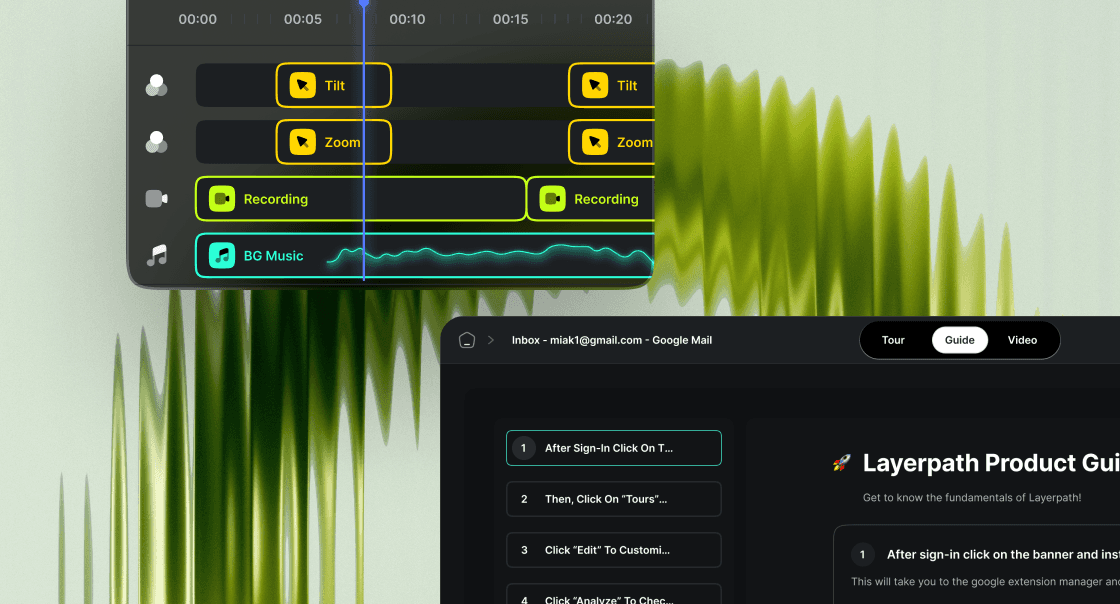
Enhanced Guide Navigation
The currently viewed slide is now highlighted in the guide menu, making navigation smoother.
Improved Video Editing You can now scroll, select a portion of your video, and preview or apply edits only to that segment.
Fixes
- Fixed the "Start Tour" Button Issue The Start Tour button was staying visible in videos and taking users back to the first slide, but not anymore.
- Fixed Jumbled Text in the Last Slide Your text now appears exactly as intended, with no display issues.
- Fixed the Full-Screen Escape Function Now, exiting full-screen mode in tours works seamlessly.
Enhancement & Fixes
Expanded Language Support
We're making Layerpath more accessible by adding AI voiceovers for Danish, Indonesian, Italian, Arabic, Romanian, Tamil, and Korean.
Fixes
- Fixed Blank Screens in Tours Some recorded sections used to go blank, but we've resolved the issue to ensure all actions are captured clearly.
- Resolved BrandKit Font Issues Your videos now properly reflect the fonts you select in Brand Kit.
- Improved Slide Duplication Duplicated slides now appear right after the original instead of getting pushed to the bottom.
Earlier updates
See what we shipped in 2024.